Your day, at a glance.
Check today and this month. Hover a day to explore its recorded totals.
FUND MY SLOP FOR MAC
Claude Code, Codex and Cursor.
Your usage, in one quiet corner of your Mac.
Free private stats. No account needed.
Apple Silicon · macOS 14 or later.
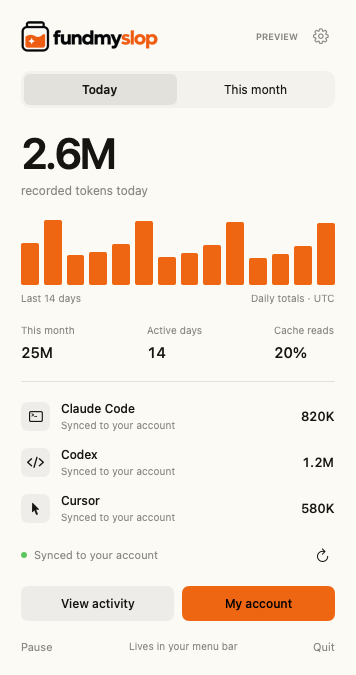
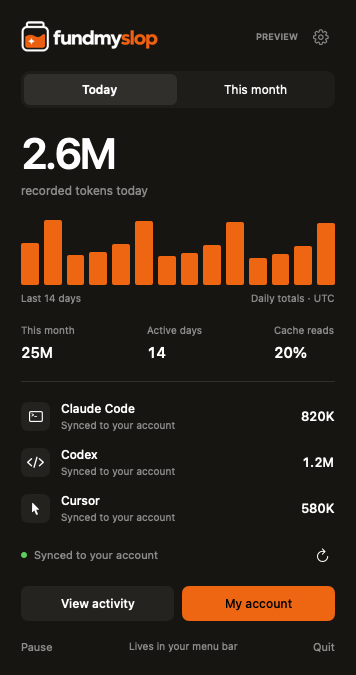
Fund My Slop turns recorded AI usage into daily activity, a model breakdown and a clearer picture of input, output and cached tokens. It lives in your Mac’s menu bar. Your conversations and code stay on your computer.
Check today and this month. Hover a day to explore its recorded totals.
See which tools and models make up your usage, including how much came from reused context.
Use the Mac app privately. Connect an account for web history and exports. Public sharing is another choice.
THREE TOOLS. CLEAR BOUNDARIES.
See recorded input, output and cache tokens from local Claude Code sessions. Claude.ai chats and activity on other computers are not included.
See recorded tokens from local Codex sessions, grouped by day and model. ChatGPT conversations and activity on other computers are not included.
Uses your existing Cursor sign-in locally to request usage from Cursor. Some requests have no token count. Those gaps stay visible; we don’t invent a number.
A SMALL SETUP
No. These are recorded token counts, not your plan allowance or a reset timer. A token total is also not a dollar bill. Use your provider’s own usage screen for remaining limits and charges.
A token is a small piece of text a model processes. Totals include input, output and cached context. A long context can be reused many times, so a large cache count does not mean that much new text was written.
No. Close the window and the app stays in your menu bar. Quitting or shutting down stops updates. Reopen it to catch up from available records. “Open at login” is optional in Settings.
Not yet. Current totals cover your tools across projects. Adding a link to your creator page does not assign usage to that project. Project names and file paths aren’t uploaded.
We keep the recorded counts and display supported model labels. If a record has no recognized label, it stays under “Unreported model.” Providers can change their record formats, so coverage can change too.
CodexBar focuses on provider limits and resets in the menu bar. ccusage provides usage reports from local records. Fund My Slop combines a private Mac usage view with an optional creator page, support payments and a website jar. Choose the view that helps you; they measure different things.
WHEN YOU WANT TO SHARE
Add a few links, an optional monthly token total and a way for people to support your work. Your private activity stays in your account.